01
Private.
The voice is generated by the Kokoro model on your own Mac, so what you select is never sent to a speech service. No analytics, no telemetry.
no speech API, no tracking
Select text in any app and press ⌘⌥⇧S. Myna reads it to you in a natural voice generated right on your Mac: no cloud speech service, no account, no subscription.
Version 0.5.1 · macOS 14+ · 4 MB download · voice installs on first launch
On listening
There is a particular hour of the afternoon when the screen turns to gauze, when the prose you still owe the day grows heavier than it should, and you read the same paragraph three times. That is the hour a voice does better than your eyes.
Browsers, PDFs, mail, Slack, terminals: if you can select it, Myna can read it.
Kokoro runs on Apple Silicon through MLX. Your text never goes to a speech service.
MIT-licensed source. No account, no usage limits, nothing to upgrade to.
Some afternoons the screen turns to gauze. The words you’ve read since morning blur into one long ribbon, and the prose you still owe the day feels heavier than it should. Myna is for those afternoons — a small companion in the menu bar that takes the reading off your eyes and gives it back to you as a voice.
Highlight text anywhere — a web page, a PDF, an email, a terminal — and press ⌘⌥⇧S. Myna reads it straight through, from the first word to the last, without stalling mid-sentence. Want the gist instead? ⌘⌥⇧A has a local model summarize it first, if you run Ollama.
On Listening
There is a particular hour of the afternoon when the screen begins to gauze over, when the prose you owe the day grows heavier than it should, and you find yourself reading the same paragraph for the third time. That is the hour Myna was built for.
Open an article in Chrome and press ⌘⌥⇧R. Myna pulls the piece out of the page — no navigation, no cookie banner, no “subscribe” box read in a calm voice — and reads just the writing.
While Myna reads, a slim bar waits at the bottom of your screen. Hover and it opens into a player: scrub, jump ten seconds, pause, or speed up to 2× without the chipmunk pitch. Drag it anywhere and it stays there. The menu bar holds the rest — your voice, your speed, and the last five things you listened to, one click from a replay.
Turn on trackpad gestures and a four-finger press-and-hold reads your selection, with a soft tone to say it heard you; a four-finger double-tap stops. Or drive Myna from Shortcuts, Raycast, Alfred or BetterTouchTool with myna:// links. Every hotkey can be rebound.
Start a long task, go and read something else, and let the reply come to you. When a Claude Code session ends, its answer appears in Myna’s player as New output ready. Press Play and the whole reply is read in your voice. Run five sessions at once and they still arrive one at a time, so nothing talks over anything else.
Wired dmgbuild into the release workflow; the disk image now opens on its install stage.
Rewrote the install section and pointed /download at the latest release.
Done. The pill now remembers where you left it on each display, and dragging it…
The voice is generated by the Kokoro model on your own Mac, so what you select is never sent to a speech service. No analytics, no telemetry.
Cloud voices bill by the character and the month. Myna has nothing to bill: no account, no subscription, no usage limits, MIT-licensed.
No API key to expire, no rate limit to hit, no service that changes its voice or shuts down. The model sits on your disk and keeps working.
In the interest of plain dealing: Myna does use the network to download its voice during setup, to check GitHub for updates, and to fetch an article’s page when you ask it to read one. Summaries go to Ollama, which also runs on your Mac.
One small download. The first time you open Myna, it installs its own voice — no Terminal, no Homebrew, no admin password — and then it lives in your menu bar.
Open the disk image and drag the bird onto the Applications folder.
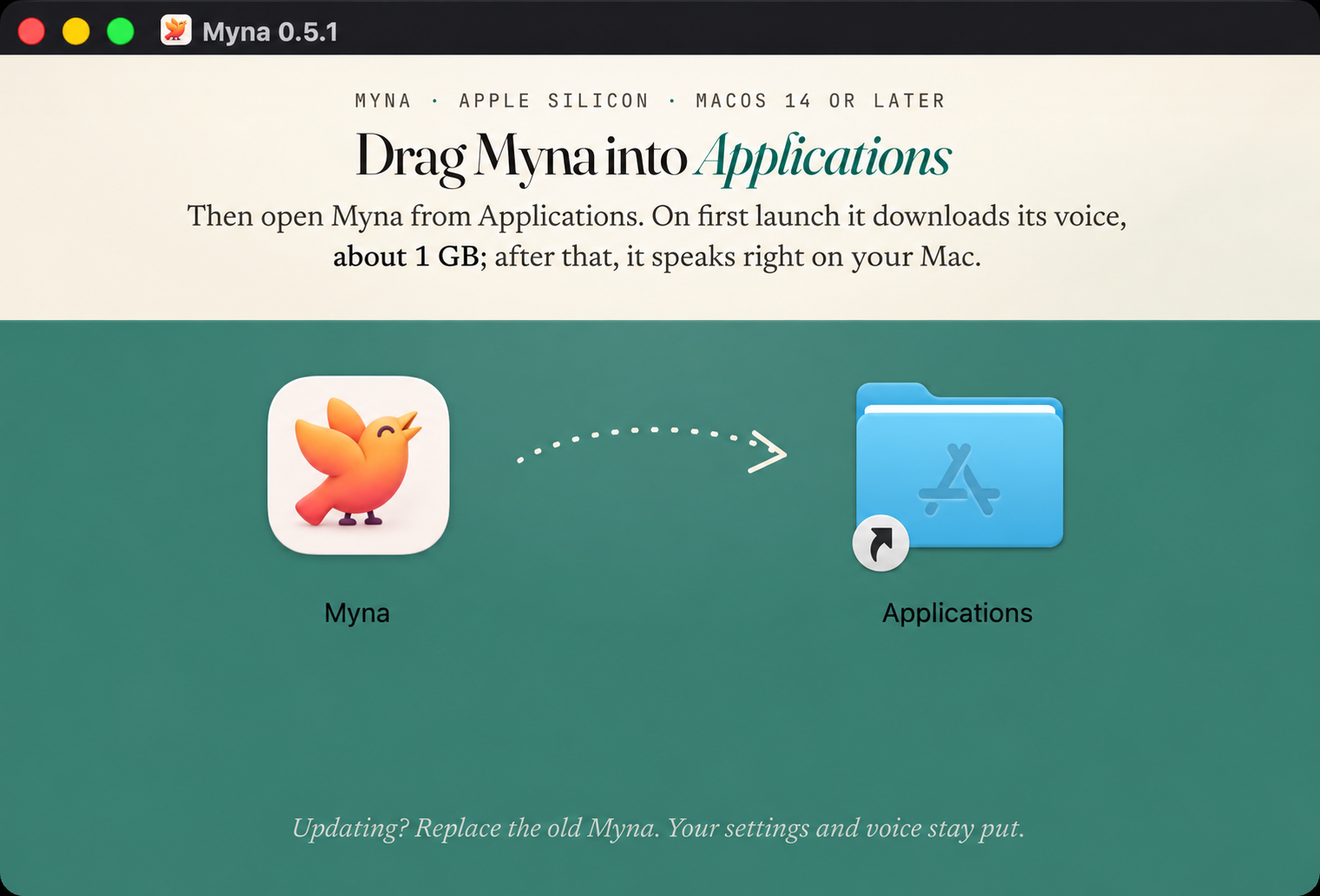
About 1 GB, a few minutes on a good connection. Then allow Accessibility, select something, and press ⌘⌥⇧S.

The cask installs the app plus its background service, and adds a myna command for reading from the terminal. Open Myna once afterwards to finish setting up the voice.
The summary shortcut hands your selection to a small local model through Ollama. Skip this if you only want Myna to read.
They all start with ⌘⌥⇧, so they stay clear of the shortcuts you already use. Change any of them in Settings → Hotkeys.
Each part does one job. The app is what you touch, the daemon decides what to say and in what order, and the voice speaks. All three run on your Mac and talk to each other over its loopback address.
Native Swift · AVAudioEngine
The menu bar, the floating player, hotkeys, gestures and Settings. Playback runs through AVAudioEngine, so faster speeds keep their pitch and you can scrub mid-sentence. Signed, notarized, and kept current by Sparkle.
Python · FastAPI · 127.0.0.1 only
A small background service that breaks text into sentences, streams audio back as each part is ready, pulls the article out of a web page, and hands summaries to Ollama. It only listens on your Mac’s own loopback address.
MLX · Kokoro-82M
The Kokoro voice model, running on Apple Silicon through MLX and looked after by the daemon. It downloads once during setup. From then on, every word is spoken right on your Mac.
⌘⌥⇧S works in any app you can copy text from: browsers, PDFs, editors, mail, Slack, terminals. Read article (⌘⌥⇧R) reads the front tab of Google Chrome. In full-screen terminal apps like Claude Code, hold ⌥ while you drag so the terminal makes a real selection.⌘⌥⇧A summarizes the selection and reads the summary. It needs Ollama running on your Mac with the qwen3.5:4b model (brew install ollama, then ollama pull qwen3.5:4b). Plain reading doesn’t need any of that.myna://speak-selection, myna://read-chrome, myna://toggle-pause, myna://stop, myna://seek?delta=-15 and myna://speed?value=1.5.launchctl bootout gui/$(id -u)/dev.myna.daemon rm -rf ~/Library/LaunchAgents/dev.myna.daemon.plist \ ~/.venvs/myna-daemon ~/.venvs/mlx-audio \ ~/Library/Application\ Support/Myna ~/.config/myna \ ~/.cache/huggingface/hub/models--prince-canuma--Kokoro-82MIf you connected Claude Code, also delete the
myna-cc-announce.py entry from ~/.claude/settings.json. Installed with Homebrew? brew uninstall --cask myna and brew uninstall myna-daemon.